# Hyperlink
超链接组件,组件宽高范围内点击实现跳转。
> **说明:**
>
> - 该组件从API Version 7开始支持。后续版本如有新增内容,则采用上角标单独标记该内容的起始版本。
> - 该组件仅支持与系统浏览器配合使用。
## 需要权限
跳转的目标应用使用网络时,需要申请权限ohos.permission.INTERNET。具体申请方式请参考[声明权限](../../../security/AccessToken/declare-permissions.md)。
## 子组件
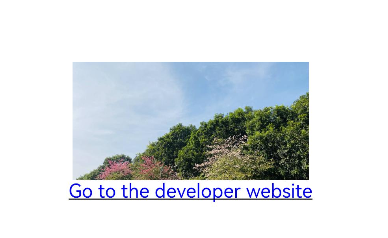
可以包含[Image](ts-basic-components-image.md)子组件。
## 接口
Hyperlink(address: string | Resource, content?: string | Resource)
**参数:**
| 参数名 | 参数类型 | 必填 | 参数描述 |
| -------- | -------- | -------- | -------- |
| address | string \| [Resource](ts-types.md#resource) | 是 | Hyperlink组件跳转的网页。 |
| content | string \| [Resource](ts-types.md#resource) | 否 | Hyperlink组件中超链接显示文本。
**说明:**
组件内有子组件时,不显示超链接文本。 |
## 属性
除支持[通用属性](ts-universal-attributes-size.md)外,还支持以下属性:
| 名称 | 参数类型 | 描述 |
| -------- | -------- | -------- |
| color | [ResourceColor](ts-types.md#resourcecolor) | 设置超链接文本的颜色。
默认值:'#ff007dff' |
## 示例
```ts
@Entry
@Component
struct HyperlinkExample {
build() {
Column() {
Column() {
Hyperlink('https://example.com/') {
Image($r('app.media.bg'))
.width(200)
.height(100)
}
}
Column() {
Hyperlink('https://example.com/', 'Go to the developer website') {
}
.color(Color.Blue)
}
}.width('100%').height('100%').justifyContent(FlexAlign.Center)
}
}
```