# Toggle
The **Toggle** component provides a clickable element in the check box, button, or switch type.
> **NOTE**
>
> This component is supported since API version 8. Updates will be marked with a superscript to indicate their earliest API version.
## Child Components
This component can contain child components only when **ToggleType** is set to **Button**.
## APIs
Toggle(options: { type: ToggleType, isOn?: boolean })
**Widget capability**: This API can be used in ArkTS widgets since API version 9.
**Atomic service API**: This API can be used in atomic services since API version 11.
**Parameters**
| Name| Type| Mandatory | Description |
| ---- | ---------- | -----| -------------- |
| type | [ToggleType](#toggletype) | Yes | Type of the toggle.
Default value: **ToggleType.Switch**|
| isOn | boolean | No | Whether the toggle is turned on. The value **true** means that the toggle is turned on, and **false** means the opposite.
Default value: **false**
Since API version 10, this parameter supports two-way binding through [$$](../../../quick-start/arkts-two-way-sync.md).|
## ToggleType
**Widget capability**: This API can be used in ArkTS widgets since API version 9.
**Atomic service API**: This API can be used in atomic services since API version 11.
| Name | Description |
| -------- | ---------------- |
| Checkbox | Check box type.
**NOTE**
Since API version 11, the default style of the **Checkbox** component is changed from rounded square to circle.
The default value of the universal attribute [margin](ts-universal-attributes-size.md#margin) is as follows:
{
top: '14px',
right: '14px',
bottom: '14px',
left: '14px'
}.
Default size:
{width:'20vp', height:'20vp'}|
| Button | Button type. The set string, if any, will be displayed inside the button.
The default height is 28 vp, and there is no default width. |
| Switch | Switch type.
**NOTE**
The default value of the universal attribute [margin](ts-universal-attributes-size.md) is as follows:
{
top: '6px',
right: '14px',
bottom: '6px',
left: '14px'
}.
Default size:
{width:'36vp', height:'20vp'}|
## Attributes
In addition to the [universal attributes](ts-universal-attributes-size.md), the following attributes are supported.
### selectedColor
selectedColor(value: ResourceColor)
Sets the background color of the component when it is turned on.
**Widget capability**: This API can be used in ArkTS widgets since API version 9.
**Atomic service API**: This API can be used in atomic services since API version 11.
**System capability**: SystemCapability.ArkUI.ArkUI.Full
**Parameters**
| Name| Type | Mandatory| Description |
| ------ | ------------------------------------------ | ---- | ------------------------ |
| value | [ResourceColor](ts-types.md#resourcecolor) | Yes | Background color of the component when it is turned on.
Default value: **'#ff007dff'**|
### switchPointColor
switchPointColor(color: ResourceColor)
Sets the color of the circular slider when the component is of the **Switch** type. This attribute is valid only when **type** is set to **ToggleType.Switch**.
**Widget capability**: This API can be used in ArkTS widgets since API version 9.
**Atomic service API**: This API can be used in atomic services since API version 11.
**System capability**: SystemCapability.ArkUI.ArkUI.Full
**Parameters**
| Name| Type | Mandatory| Description |
| ------ | ------------------------------------------ | ---- | -------------------------- |
| value | [ResourceColor](ts-types.md#resourcecolor) | Yes | Color of the circular slider when the component is of the **Switch** type.
Default value: **'#ffffffff'**|
### switchStyle12+
switchStyle(value: SwitchStyle)
Sets the style for the component of the **Switch** type. This attribute is valid only when **type** is set to **ToggleType.Switch**.
**System capability**: SystemCapability.ArkUI.ArkUI.Full
**Parameters**
| Name| Type | Mandatory| Description |
| ------ | --------------------------------------------------- | ---- | ---------------- |
| value | [SwitchStyle12+](#switchstyle12) | Yes | Style of the component of the **Switch** type.|
### contentModifier12+
contentModifier(modifier: ContentModifier\)
Creates a content modifier.
**System capability**: SystemCapability.ArkUI.ArkUI.Full
**Parameters**
| Name| Type | Mandatory| Description |
| ------ | --------------------------------------------- | ---- | ------------------------------------------------ |
| modifier | [ContentModifier\](#toggleconfiguration12) | Yes | Content modifier to apply to the current component.
**modifier**: content modifier. You need a custom class to implement the **ContentModifier** API.|
## SwitchStyle12+
| Name | Type | Mandatory| Description |
| ----------------- | ------------------------------------------- | ---- | ------------------------------------------------------------ |
| pointRadius | number \| [Resource](ts-types.md#resource) | No | Radius of the circular slider when the component is of the **Switch** type.
**NOTE**
This parameter cannot be set in percentage. The value specified is used only when it is greater than or equal to 0.
If the vlaue is not specified or the specified one is less than 0, the radius is set using the following formula:
(Component height (in vp)/2) - (2 vp x Component height (in vp)/20 vp)|
| unselectedColor | [ResourceColor](ts-types.md#resourcecolor) | No | Background color of the component when it is of the **Switch** type and is disabled.
Default value: **0x337F7F7F**|
| pointColor | [ResourceColor](ts-types.md#resourcecolor) | No | Color of the circular slider when the component is of the **Switch** type.
Default value: **'#FFFFFFFF'** |
| trackBorderRadius | number \| [Resource](ts-types.md#resource) | No | Radius of the slider track border corners when the component is of the **Switch** type.
**NOTE**
This parameter cannot be set in percentage. If the value specified is less than 0, the radius is set using the default value formula. If the value specified is greater than half of the component height, the latter is used. In other cases, the value specified is used.
If the value is not specified or the specified one is less than 0, the radius is set using the default value formula.
Default value formula: Component height (in vp)/2|
## Events
In addition to the [universal events](ts-universal-events-click.md), the following events are supported.
### onChange
onChange(callback: (isOn: boolean) => void)
Triggered when the toggle status changes.
**Widget capability**: This API can be used in ArkTS widgets since API version 9.
**Atomic service API**: This API can be used in atomic services since API version 11.
**System capability**: SystemCapability.ArkUI.ArkUI.Full
**Parameters**
| Name| Type | Mandatory| Description |
| ------ | ------- | ---- | ------------------------------------------------------------ |
| isOn | boolean | Yes | Whether the toggle is on.
**true**: The toggle changes from off to on. **false**: The toggle changes from on to off.|
## ToggleConfiguration12+
You need a custom class to implement the **ContentModifier** API.
| Name | Type | Default Value | Description |
| ------ | ------ | ------ |-------------------------------- |
| isOn | boolean| false | If the **isOn** attribute is not set, the default value **false** is used.
If the **isOn** attribute is set, the attribute value is used here.|
| triggerChange |Callback\| - |Triggers toggle status changes.|
## Example
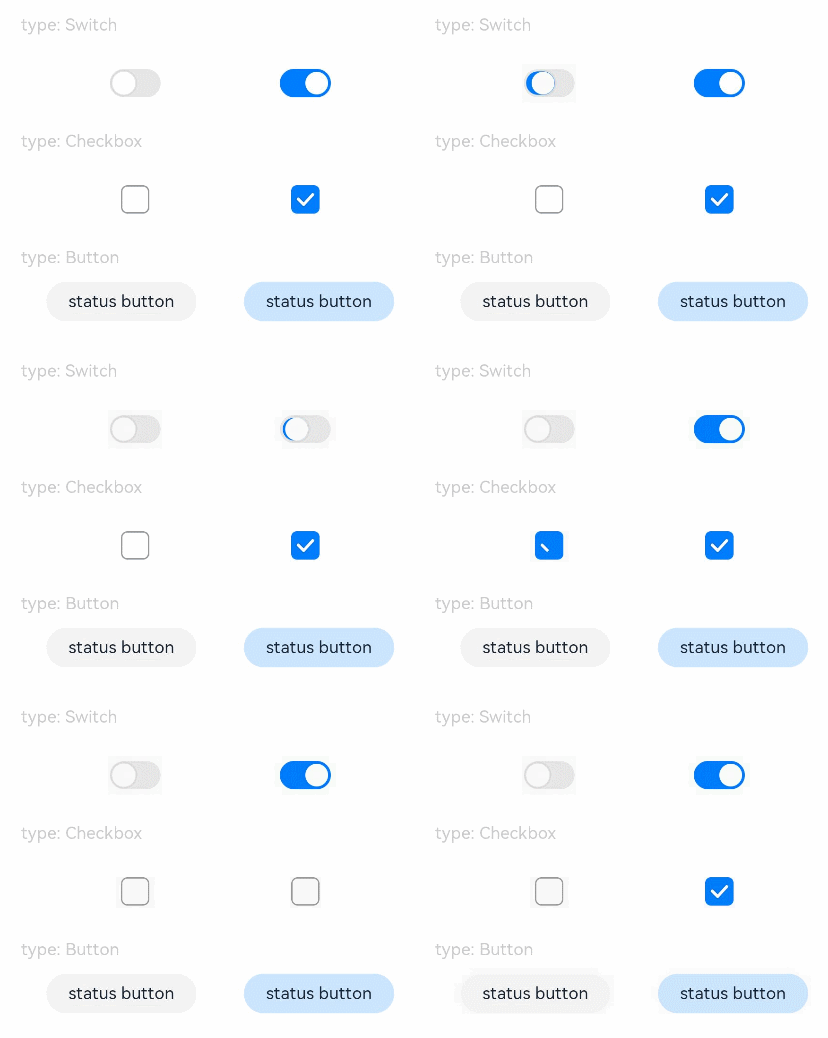
### Example 1
```ts
// xxx.ets
@Entry
@Component
struct ToggleExample {
build() {
Column({ space: 10 }) {
Text('type: Switch').fontSize(12).fontColor(0xcccccc).width('90%')
Flex({ justifyContent: FlexAlign.SpaceEvenly, alignItems: ItemAlign.Center }) {
Toggle({ type: ToggleType.Switch, isOn: false })
.selectedColor('#007DFF')
.switchPointColor('#FFFFFF')
.onChange((isOn: boolean) => {
console.info('Component status:' + isOn)
})
Toggle({ type: ToggleType.Switch, isOn: true })
.selectedColor('#007DFF')
.switchPointColor('#FFFFFF')
.onChange((isOn: boolean) => {
console.info('Component status:' + isOn)
})
}
Text('type: Checkbox').fontSize(12).fontColor(0xcccccc).width('90%')
Flex({ justifyContent: FlexAlign.SpaceEvenly, alignItems: ItemAlign.Center }) {
Toggle({ type: ToggleType.Checkbox, isOn: false })
.size({ width: 20, height: 20 })
.selectedColor('#007DFF')
.onChange((isOn: boolean) => {
console.info('Component status:' + isOn)
})
Toggle({ type: ToggleType.Checkbox, isOn: true })
.size({ width: 20, height: 20 })
.selectedColor('#007DFF')
.onChange((isOn: boolean) => {
console.info('Component status:' + isOn)
})
}
Text('type: Button').fontSize(12).fontColor(0xcccccc).width('90%')
Flex({ justifyContent: FlexAlign.SpaceEvenly, alignItems: ItemAlign.Center }) {
Toggle({ type: ToggleType.Button, isOn: false }) {
Text('status button').fontColor('#182431').fontSize(12)
}.width(106)
.selectedColor('rgba(0,125,255,0.20)')
.onChange((isOn: boolean) => {
console.info('Component status:' + isOn)
})
Toggle({ type: ToggleType.Button, isOn: true }) {
Text('status button').fontColor('#182431').fontSize(12)
}.width(106)
.selectedColor('rgba(0,125,255,0.20)')
.onChange((isOn: boolean) => {
console.info('Component status:' + isOn)
})
}
}.width('100%').padding(24)
}
}
```
### Example 2
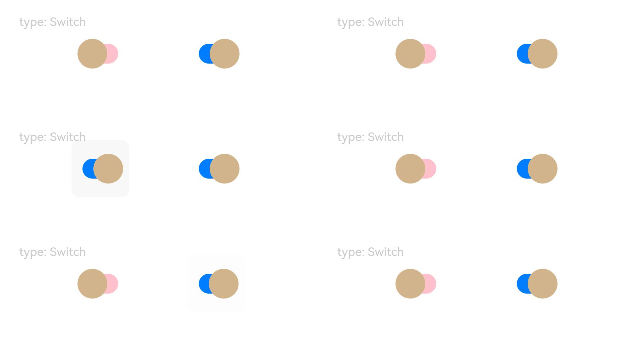
This example implements a toggle of the **Switch** type with custom settings, including the radius and color of the circular slider, background color in the off state, and radius of the slider track border corners.
```ts
// xxx.ets
@Entry
@Component
struct ToggleExample {
build() {
Column({ space: 10 }) {
Text('type: Switch').fontSize(12).fontColor(0xcccccc).width('90%')
Flex({ justifyContent: FlexAlign.SpaceEvenly, alignItems: ItemAlign.Center }) {
Toggle({ type: ToggleType.Switch, isOn: false })
.selectedColor('#007DFF')
.switchStyle({
pointRadius: 15,
trackBorderRadius: 10,
pointColor: '#D2B48C',
unselectedColor: Color.Pink })
.onChange((isOn: boolean) => {
console.info('Component status:' + isOn)
})
Toggle({ type: ToggleType.Switch, isOn: true })
.selectedColor('#007DFF')
.switchStyle({
pointRadius: 15,
trackBorderRadius: 10,
pointColor: '#D2B48C',
unselectedColor: Color.Pink })
.onChange((isOn: boolean) => {
console.info('Component status:' + isOn)
})
}
}.width('100%').padding(24)
}
}
```
### Example 3
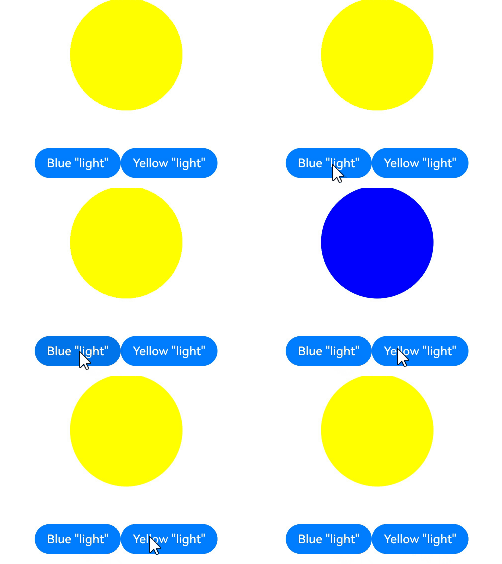
This example implements a toggle in a custom style. When you click the **Blue** button, the circle background turns blue. When you click the **Yellow** button, the circle background turns yellow.
```ts
// xxx.ets
class MySwitchStyle implements ContentModifier {
selectedColor: Color = Color.White
lamp: string = 'string';
constructor(selectedColor: Color, lamp: string) {
this.selectedColor = selectedColor
this.lamp = lamp;
}
applyContent() : WrappedBuilder<[ToggleConfiguration]>
{
return wrapBuilder(buildSwitch)
}
}
@Builder function buildSwitch(config: ToggleConfiguration) {
Column({ space: 50 }) {
Circle({ width: 150, height: 150 })
.fill(config.isOn ? (config.contentModifier as MySwitchStyle).selectedColor : Color.Blue)
Row() {
Button ('Blue '+ JSON.stringify((config.contentModifier as MySwitchStyle).lamp))
.onClick(() => {
config.triggerChange(false);
})
Button ('Yellow '+ JSON.stringify((config.contentModifier as MySwitchStyle).lamp))
.onClick(() => {
config.triggerChange(true);
})
}
}
}
@Entry
@Component
struct Index {
build() {
Column({ space: 50 }) {
Toggle({ type: ToggleType.Switch})
.enabled(true)
.contentModifier (new MySwitchStyle (Color.Yellow, 'light'))
.onChange((isOn: boolean) => {
console.info('Switch Log:' + isOn)
})
}.height('100%').width('100%')
}
}
```