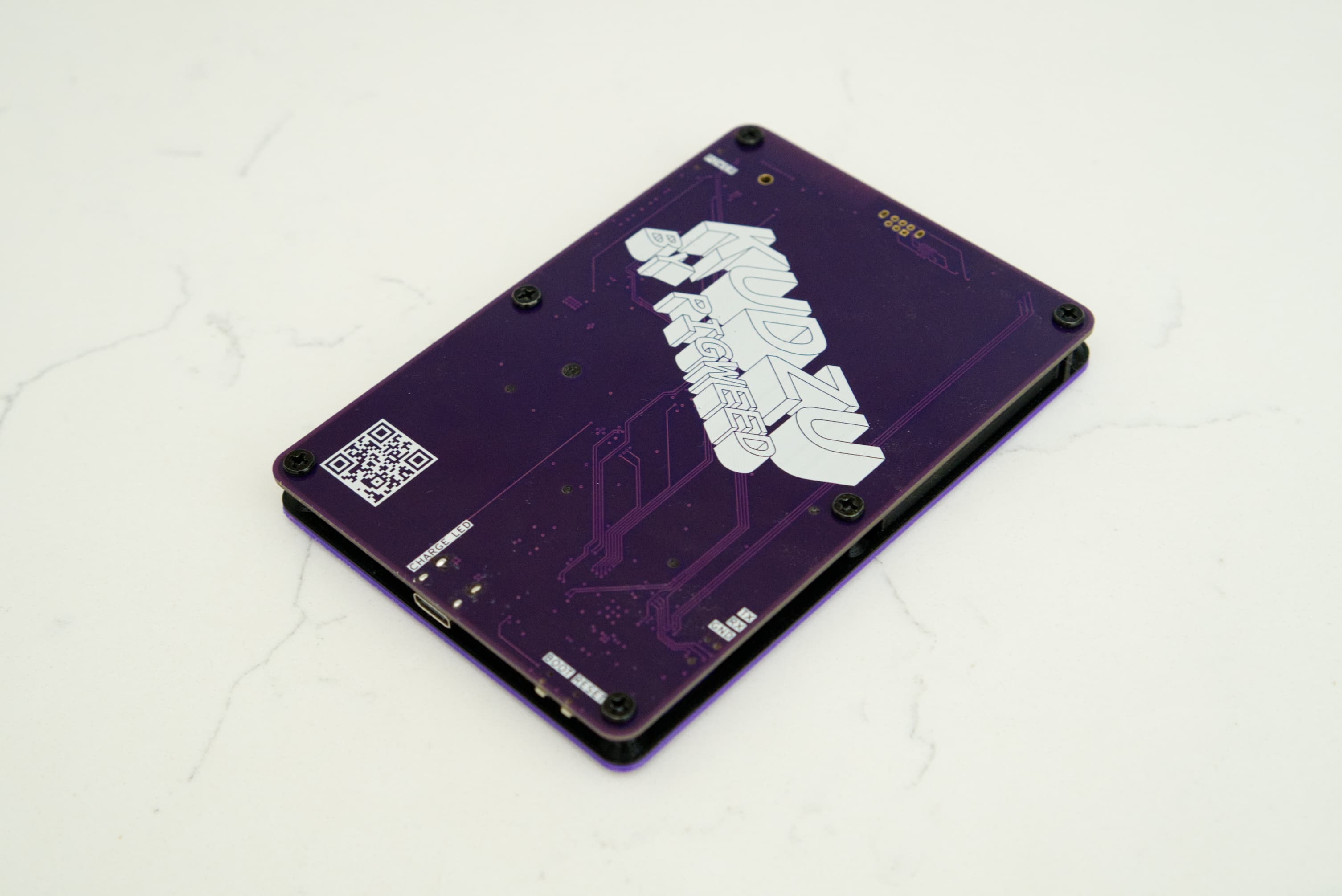
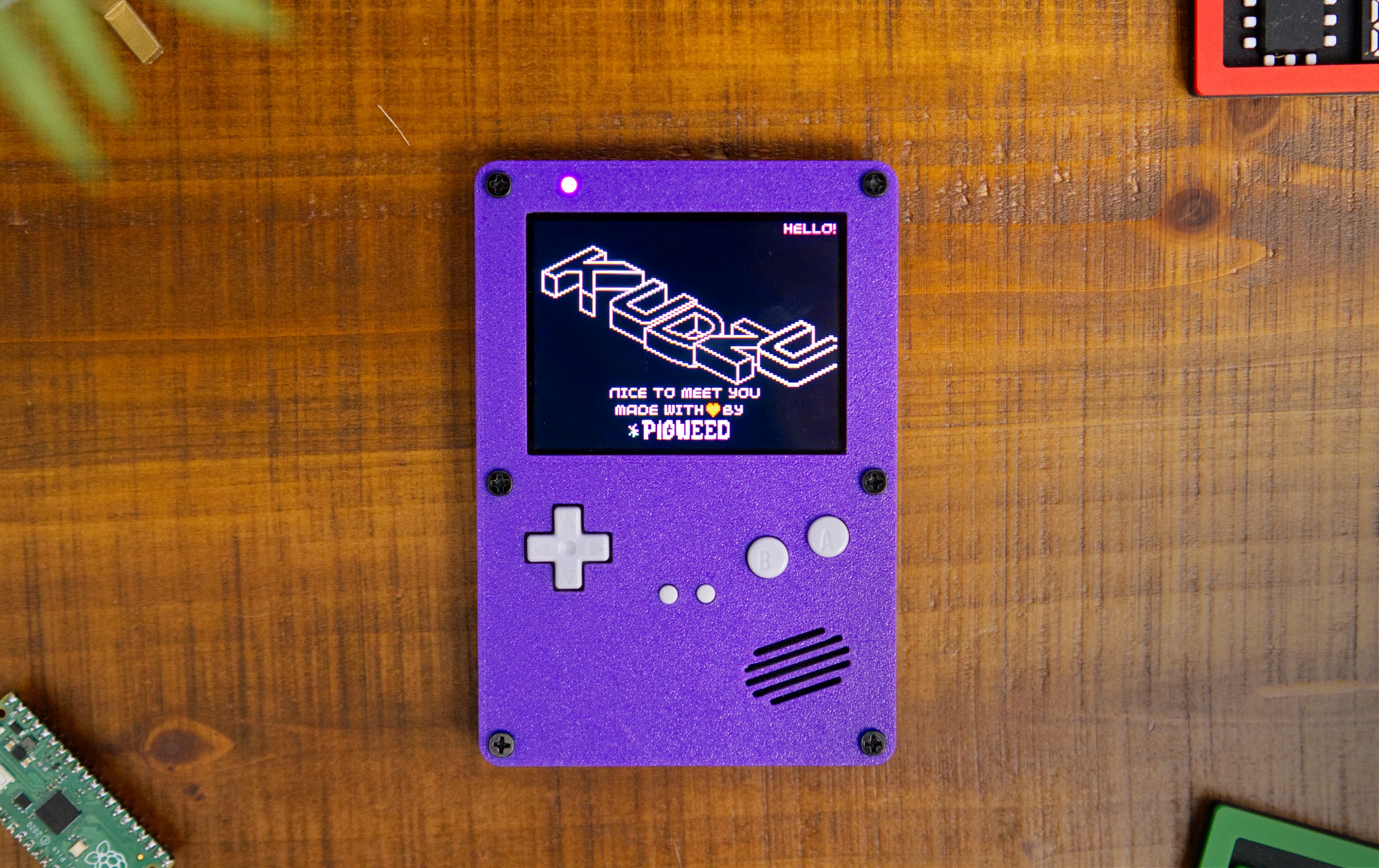
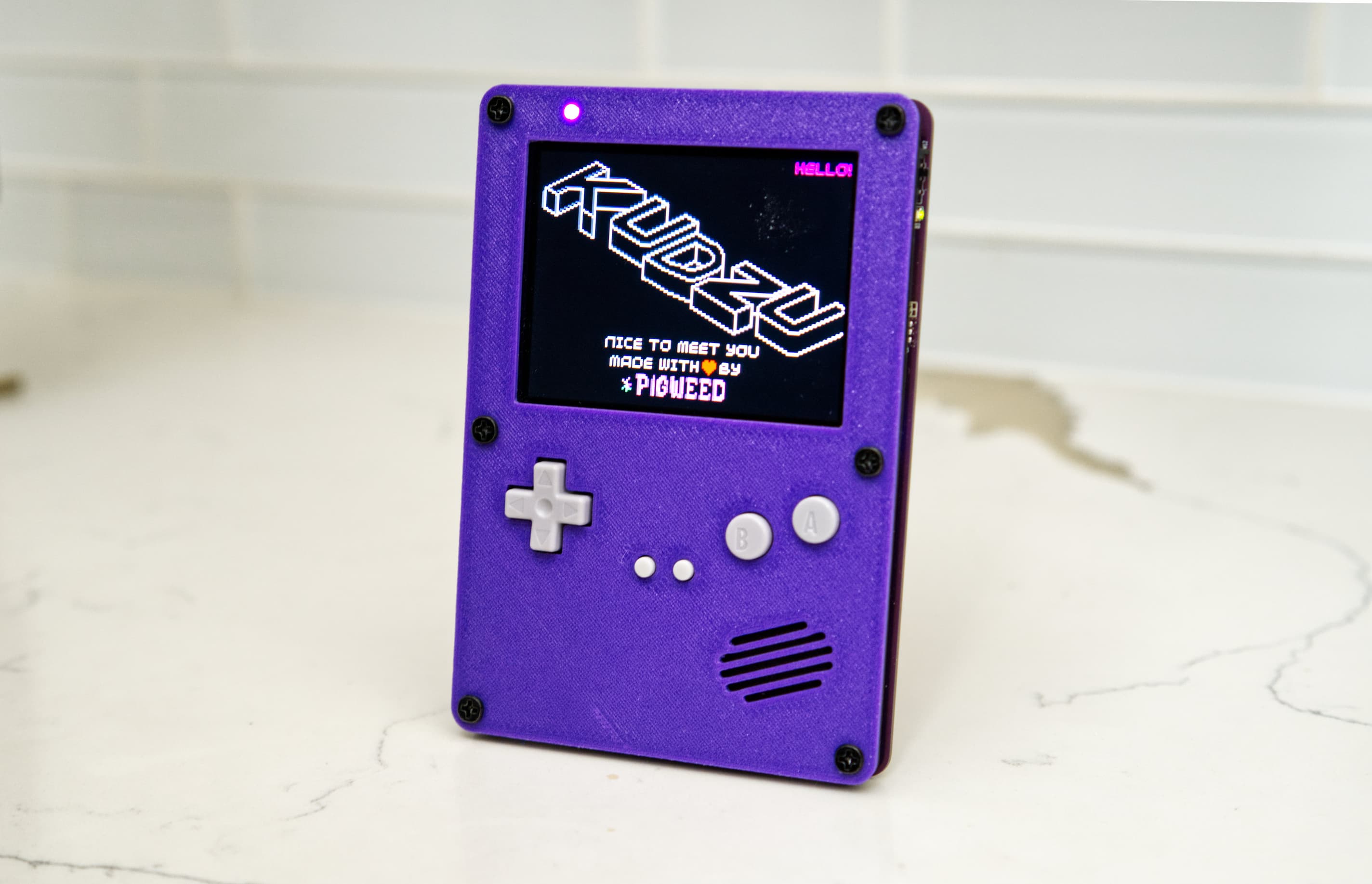
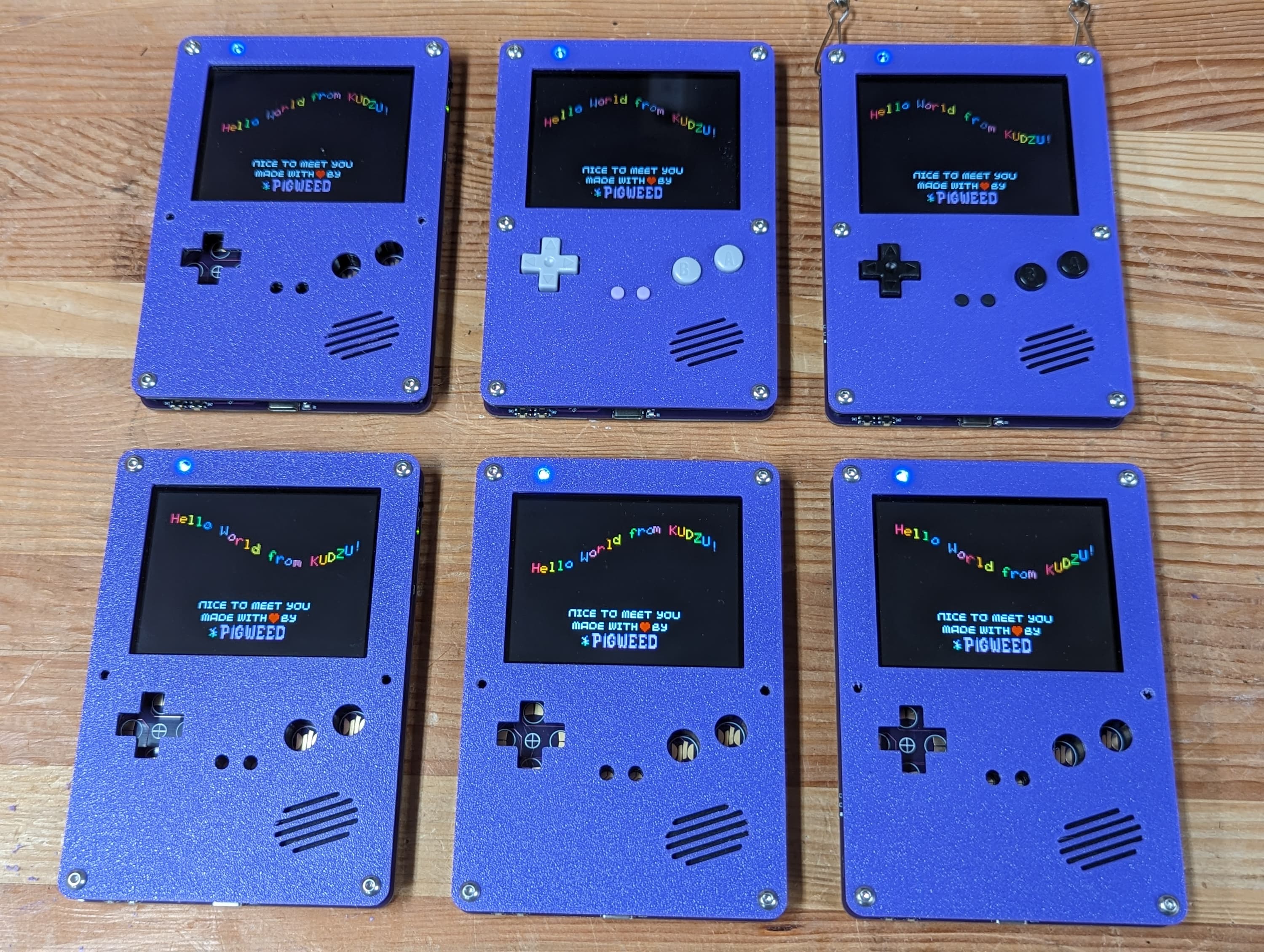
1.. _docs-blog-01-kudzu: 2 3========================== 4Pigweed Eng Blog #1: Kudzu 5========================== 6.. admonition:: A note from the Pigweed Eng Blog editors 7 8 Welcome to the Pigweed Eng Blog! This is an informal blog where Pigweed 9 teammates, contributors, and users can share ideas and projects related to 10 Pigweed. 11 12 Our first post comes from Erik Gilling, a software engineer on the 13 Pigweed team. Today, Erik is going to tell you about Kudzu, 14 "Pigweed's whimsical take on a development board"… 15 16 Please note that **while Kudzu is open source, its hardware isn't publicly 17 available**. Pigweed users may find the `Kudzu source 18 code <https://pigweed.googlesource.com/pigweed/kudzu/+/refs/heads/main>`_ 19 to be a helpful example of a complex Pigweed integration. 20 21.. card:: 22 :img-background: https://storage.googleapis.com/pigweed-media/kudzu-finished-photo-diagonal.jpg 23 :link: https://storage.googleapis.com/pigweed-media/kudzu-finished-photo-diagonal.jpg 24 :img-alt: A single Kudzu badge face-up on a table viewed at a diagonal. 25 26---------------------------- 27It all started so innocently 28---------------------------- 29The Pigweed team is taking a field trip to the 30`Bay Area Maker Faire <https://makerfaire.com/bay-area/>`_ because 31unsurprisingly, that's the kind of good time we're up for! While discussing 32the plans at a team meeting I suggested: "We should make PCB badges that run 33Pigweed and wear that to the Faire!" I've always wanted to make a PCB badge 34and this seemed like the perfect opportunity to make a simple PCB that we could 35do a little bit of hacking on. 36 37-------- 38"Simple" 39-------- 40The idea resonated with the team… perhaps too well. What started as 41something simple in my head quickly started creeping features. Hence 42the name `Kudzu <https://en.wikipedia.org/wiki/Kudzu>`_: a vine 43considered invasive in many parts of the world. Pigweed's a weed. 44Our RFCs are called "seeds". We're all about the plant puns… 45 46Anyways, the conversation went something like this: 47 48 "We should have some sort of sensor so it does something…" 49 50 "How should we power it? Let's do LiPo charging…" 51 52 "Let's add a display to highlight our recent 53 :ref:`Display Support SEED <seed-0104>`!" 54 55 "Touch screen?" 56 57 "D-Pad and buttons?" 58 59 "Speaker?" 60 61 "Wireless?" 62 63 "No!… but also yes…" 64 65We quickly realized that what we wanted was more than a badge. We wanted a 66showcase for Pigweed. We wanted a project we can point people at to show them 67Pigweed running at it's best. And thus Kudzu was born. Part badge, part 68development board, part handheld gaming system, and all Pigweed. 69 70---------------- 71The laundry list 72---------------- 73We settled on the following laundry list of features and components: 74 75`RP2040 Microcontroller <https://www.raspberrypi.com/documentation/microcontrollers/rp2040.html>`_ 76 There's a lot to love about the RP2040: a reasonable amount of SRAM, 77 support for large/cheap/execute-in-place external flash, a wicked cool 78 programmable I/O block, and most importantly: easy and cheap to source! 79 80`16 MB of Flash <https://www.winbond.com/resource-files/w25q128jv%20revf%2003272018%20plus.pdf>`_ 81 We're adding the maximum amount of flash that the RP2040 can support. This 82 way we can pack as much awesome into the firmware as possible. Realistically 83 16 MB is an embarrassingly large amount of space for an embedded project and I 84 can't wait to see what cool stuff we fill it with! 85 86USB-C Connector 87 While we're not adding USB Power Delivery to the board, the USB C connector 88 is robust and common. Many of us on the team are tired of digging micro 89 (or even mini) USB cables out of our desk drawers to hook up brand new dev 90 boards or JTAG programmers! 91 92LiPo Battery with `charger <https://www.microchip.com/en-us/product/mcp73831>`_ and `fuel gauge <https://www.analog.com/en/products/max17048.html>`_ 93 Once we decided on a portable gaming form factor, we wanted to have a 94 built-in, rechargeable battery. The battery is 900mA and is set to charge at 500mA 95 from USB when the system is off and 250mA when the system is running. As an 96 added bonus we threw in a fuel gauge chip. Partly because it's really nice to 97 have an accurate view of the battery charge state and partly because it's 98 a neat chip to write software for. 99 100`3.2" IPS display with capacitive touch <https://www.buydisplay.com/3-2-inch-240x320-ips-tft-lcd-display-optl-capacitive-touchscreen-st7789>`_ 101 This display is 240x320 which presents two challenges. First, it's naturally 102 portrait instead of landscape. We solve this by rotating the buffers once 103 they're rendered. The second is that a single 16-bit x 320 x 240 frame buffer 104 is ~150K which is over half of the 264K of SRAM in the RP2040. Instead, we're 105 rendering at 160x120 and using the PIO module to `pixel double 106 <https://github.com/32blit/32blit-sdk>`_ the buffer as we're sending it to the 107 display. As an added bonus, the chunkier pixels gives Kudzu a nice retro feel. 108 109Directional Pad and Buttons 110 Here we're leaning on off-the-shelf buttons and silicone pads. Game 111 controller design is a whole rabbit hole and we're going to rely on the 112 collective wisdom of the retro modding community to give us nice-feeling 113 controls. 114 115`Six Axis IMU <https://invensense.tdk.com/products/motion-tracking/6-axis/icm-42670-p/>`_ 116 An IMU is a great general purpose peripheral to demonstrate Pigweed's HAL 117 layer. Plus, there's all sorts of cool demos you can write with an IMU and 118 a display. 119 120`I2S Audio DAC/Amplifier <https://www.analog.com/media/en/technical-documentation/data-sheets/max98357a-max98357b.pdf>`_ and Speaker 121 Chip tunes are best tunes. A couple of us on the team would love to 122 port/write a tracker or FM synthesis engine. 123 124Gameboy Advance Link Port 125 As a simple way of hooking two devices together, we added link port. Again 126 we're using an existing link port and cable to avoid reinventing to wheel. 127 Plus, there's something awful nostalgic about that port! 128 129... and `One More Thing <https://www.espressif.com/en/products/socs/esp32-c3>`_ 130 I kinda snuck an ESP32-C3 module onto the board at the last minute. Having 131 wireless is something we wanted but didn't want to burden the initial design 132 and bring up with it. My thinking is that we'll leave the module un-populated 133 for now. My hope is that adding it to the board now may keep these boards from 134 becoming landfill when we decide to tackle wireless. 135 136-------------------------- 137Design, build, and rollout 138-------------------------- 139I used `KiCad <https://www.kicad.org/>`_ to design the board. It's an open 140source PCB design package that has been making incredible strides in 141functionality and usability in the past few years. It comes with a high-quality 142library of symbols and footprint which is supplemented by community-maintained 143open source libraries. 144 145.. card:: 146 :img-top: https://storage.googleapis.com/pigweed-media/kudzu-schematic.png 147 :link: https://storage.googleapis.com/pigweed-media/kudzu-schematic.png 148 :img-alt: A screenshot of Kudzu's schematic. 149 :text-align: center 150 151 Kudzu schematic 152 153After some careful design review from the team and a few friends of Pigweed we 154sent off the board to get fabbed and "patiently" waited for it to be delivered. 155 156An EE at a previous company I worked at had a saying: "If you haven't found 157three problems with your board, you're not done looking". The three problems 158we found in order from least to most crushing are: 159 160.. card:: 161 :img-top: https://storage.googleapis.com/pigweed-media/kudzu-display-connector.jpeg 162 :link: https://storage.googleapis.com/pigweed-media/kudzu-display-connector.jpeg 163 :img-alt: The reworked display connector with many bodge wires. 164 :text-align: center 165 166 The reworked display connector and the unpopulated footprint for the "one more thing" 167 that "we'll get to eventually" 168 169#. **The BOOT and RESET labels were reversed.** This led to some initial 170 confusion on why the boards would not come up in bootloader mode. 171 172#. **One of the FETs (Q3) had the wrong pinout.** This caused the power 173 switch to be stuck on and the charge rate switching to not work. 174 175#. **The pins on the display FPC connector were swapped.** This one was really 176 crushing. The connector was fairly fine-pitched and 40 pins! 177 178We were able to bring up the whole board including the display by rotating the 179connector. Sadly the display would not fit in the 3D printed parts 180we'd designed when plugged into the rotated connection. To validate our 3D 181printed parts, I painstakingly reworked on-board to get the connector oriented 182correctly. However, that was too much work and too fragile for all the boards. 183We had to do a re-spin and Maker Faire was approaching quickly! Time to lather, 184rinse, and repeat. 185 186Fast forward to Monday night before Maker Faire. The boards come in and I spent 187the evening preparing for a build party. On Tuesday, with some 188`robotic help <https://www.opulo.io/>`_, we managed to build and test 8 boards 189and get them in team members' hands on Wednesday. 190 191.. card:: 192 :img-top: https://storage.googleapis.com/pigweed-media/kudzu-pnp.jpg 193 :link: https://storage.googleapis.com/pigweed-media/kudzu-pnp.jpg 194 :img-alt: A photo of the Opulo LumenPnP 195 :text-align: center 196 197 Our robotic help (Opulo LumenPnP) 198 199Thankfully, because Pigweed is modular and portable, we were able to get our 200software working on it quickly, freeing us to spend the next couple days hacking 201together some simple fun demos for Maker Faire! 202 203------ 204Photos 205------ 206.. grid:: 1 1 2 2 207 208 .. grid-item-card:: 209 :img-background: https://storage.googleapis.com/pigweed-media/kudzu-finished-photo-diagonal.jpg 210 :link: https://storage.googleapis.com/pigweed-media/kudzu-finished-photo-diagonal.jpg 211 :img-alt: A single Kudzu badge face-up on a table viewed at a diagonal. 212 213 .. grid-item-card:: 214 :img-background: https://storage.googleapis.com/pigweed-media/kudzu-finished-photo-back.jpg 215 :link: https://storage.googleapis.com/pigweed-media/kudzu-finished-photo-back.jpg 216 :img-alt: A single Kudzu badge face-down on a table viewed at a diagonal. 217 218.. grid:: 1 1 2 2 219 220 .. grid-item-card:: 221 :img-background: https://storage.googleapis.com/pigweed-media/kudzu-finished-photo-top-down.jpg 222 :link: https://storage.googleapis.com/pigweed-media/kudzu-finished-photo-top-down.jpg 223 :img-alt: A single Kudzu badge face-up on a table viewed from above. 224 225 .. grid-item-card:: 226 :img-background: https://storage.googleapis.com/pigweed-media/kudzu-finished-photo-front-standing.jpg 227 :link: https://storage.googleapis.com/pigweed-media/kudzu-finished-photo-front-standing.jpg 228 :img-alt: A single Kudzu badge standing up on a table viewed from the front. 229 230.. card:: 231 :img-top: https://storage.googleapis.com/pigweed-media/kudzu-badges.jpg 232 :link: https://storage.googleapis.com/pigweed-media/kudzu-badges.jpg 233 :img-alt: A photo of 6 of the Kudzu badges 234 :text-align: center 235 236 Six Kudzu badges for Maker Faire 2023 237 238---------- 239Learn more 240---------- 241We don't have any plans to distribute hardware outside of our team but are 242excited to publish the living project to serve as an example of how to build 243firmware integrated with Pigweed. Over the coming months we'll be publishing 244more functionality to the repository. 245 246Head over to the `Kudzu repo <https://pigweed.googlesource.com/pigweed/kudzu>`_ 247where you'll find: 248 249* KiCad PCB Design 250* Example firmware demonstrating: 251 * :ref:`module-pw_system` integration 252 * :ref:`module-pw_rpc` and :ref:`module-pw_log` support 253 * Use of Pigweed's :ref:`module-pw_digital_io`, :ref:`module-pw_i2c`, 254 and :ref:`module-pw_spi` hardware abstraction layers 255 256.. pigweed-live:: 257